What electronic invoicing (e-CF) is
What an electronic fiscal document is, the types Ahorra POS issues, when each one applies and what the printed invoice with its QR looks like.
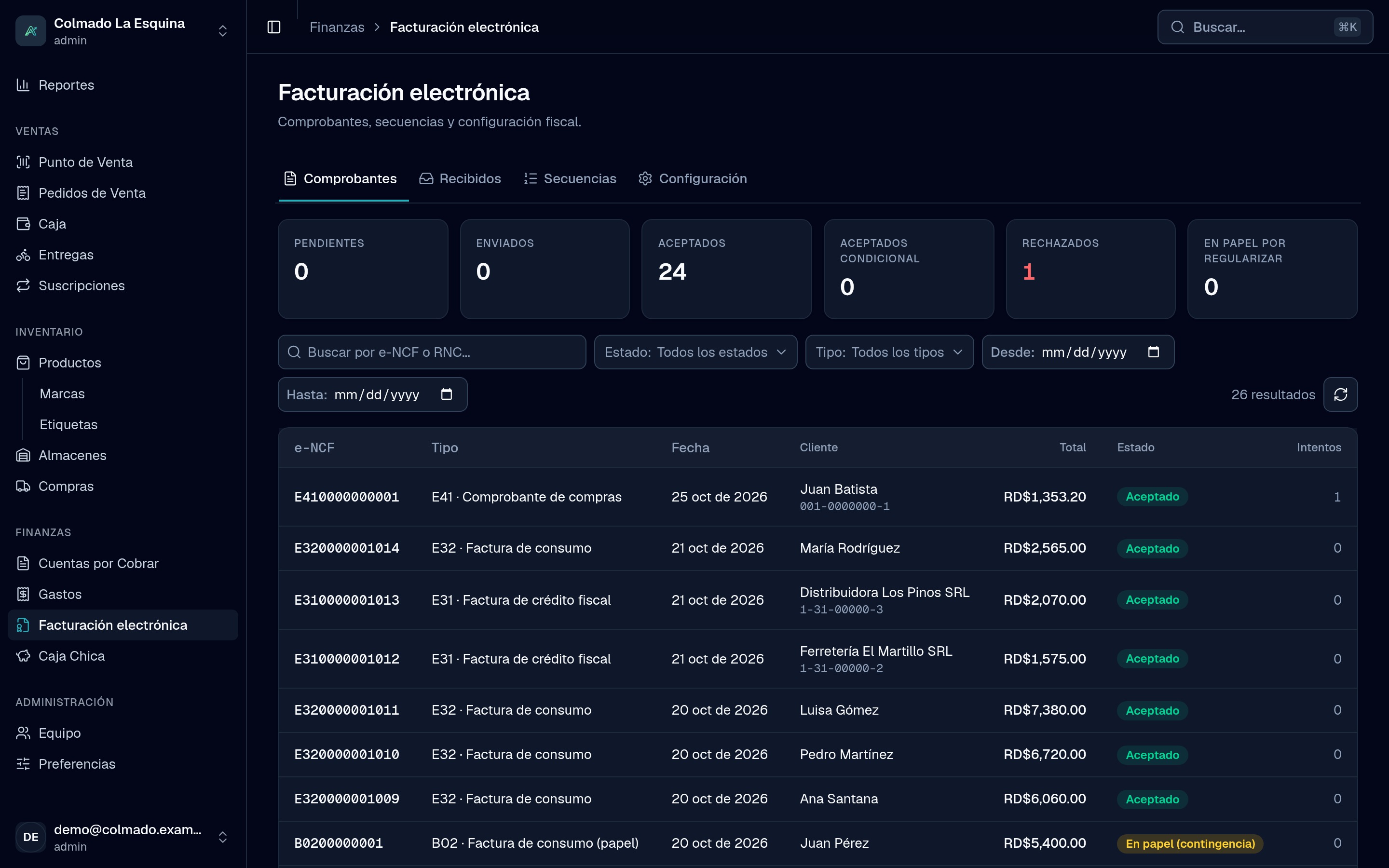
An e-CF (comprobante fiscal electrónico) is the digital version of the NCF: a document signed with your business’s digital certificate and sent to the DGII. Law 32-23 brings electronic invoicing to every taxpayer in stages, and Ahorra POS issues your e-CF straight from the point of sale.
How an e-CF works
Every e-CF carries a number called the e-NCF: an E, the two-digit document type and a ten-digit sequence (for example, E320000000001). The numbers come from the ranges the DGII authorizes for you in its Virtual Office (Oficina Virtual), which you register in Ahorra POS.
When you charge a sale, Ahorra POS:
- Builds the document with your business’s, the customer’s and the sale’s details.
- Signs it with your digital certificate and gives it the next e-NCF in the range.
- Sends it to the DGII on its own and shows you the answer: accepted, conditionally accepted or rejected.
Your customer takes the printed invoice right away; you don’t wait for the DGII’s answer to hand it over.
The documents Ahorra POS issues
Each type comes from the place where the transaction happens:
- E31 · Tax invoice (crédito fiscal): for customers with an RNC or cédula who deduct the ITBIS. You pick it at checkout as Tax credit, and it needs an identified customer.
- E32 · Consumer invoice: for the final consumer. It’s the Consumer option, selected by default at checkout. Smaller ones are reported to the DGII through a summary (RFCE); from the amount the DGII sets, the sale needs an identified customer, and Ahorra POS warns you.
- E33 · Debit note: for charges added to an invoice already issued.
- E34 · Credit note: issued on its own when you void a sale or record a return.
- E41 · Purchases voucher: when you buy from an informal supplier (not registered as a taxpayer), with its withholdings. It is issued from Purchasing and Expenses.
- E43 · Minor expenses: for the business’s minor expenses, from Expenses and Petty Cash.
- E44 · Special regimes: for free-zone customers and other special regimes. It’s under More at checkout.
- E45 · Government: for sales to government institutions. Also under More, and it needs a customer with an RNC or cédula.
At checkout you only see the types you have an active range with numbers left for. Purchasing and Expenses are available from the Pro plan, and so are the E41 and E43 (see plans).
The printed invoice
The invoice your customer gets is the e-CF’s printed representation, on an 80 mm ticket or a letter page. It shows:
- the document type in words and the e-NCF, prominently;
- the QR code, which anyone can scan to look the document up with the DGII;
- the Security code (six characters taken from the signature) and the Digital signature date;
- on a tax invoice, the range’s Valid until date.
If you issued it during a no-connection contingency, it carries the legend “e-CF emitido en modalidad de contingencia”.
Does it cost extra?
No. Electronic invoicing is included in every Ahorra POS plan. You can compare what each plan includes on plans and pricing.
Who sees electronic invoicing
The Electronic invoicing menu is for the business’s administrators (admin role): it holds the documents, the received ones, the sequences and the setup. Cashiers don’t need to go there: they pick the document type at checkout, and Ahorra POS does the rest.
Important: To issue e-CF, your business must be certified as an electronic issuer with the DGII. Our team guides you through it; see Activate electronic invoicing.
For the full picture on one page, visit Electronic invoicing.
Related articles
Didn’t find what you were looking for?
Write to us on WhatsApp or through the contact form and we will help.